 Skyline Stack

Daily architecture guide
One famous building a day. One new floor on your tower.
Read today’s landmark in two minutes, pass a three-question site check, and the crane places a floor styled after it: Gothic arches, Art Deco sunbursts, glass curtain walls. In three months you can recognise and explain 72 landmarks across 12 cities.


The idea
Architecture is everywhere, but it’s hard to really learn.
The stories behind famous buildings are buried in long encyclopedia pages and dry travel guides. Trivia apps flash a fact and forget it, so nothing sticks and there’s no sense of progress.
Skyline Stack turns it into a tiny daily build. Every landmark you learn becomes something you can see: a floor on your own tower and a lit silhouette in a city skyline. Missed a day? Nothing is ever taken away.


How it works
Three minutes, three steps, one floor
-

1. Tap the crane hook
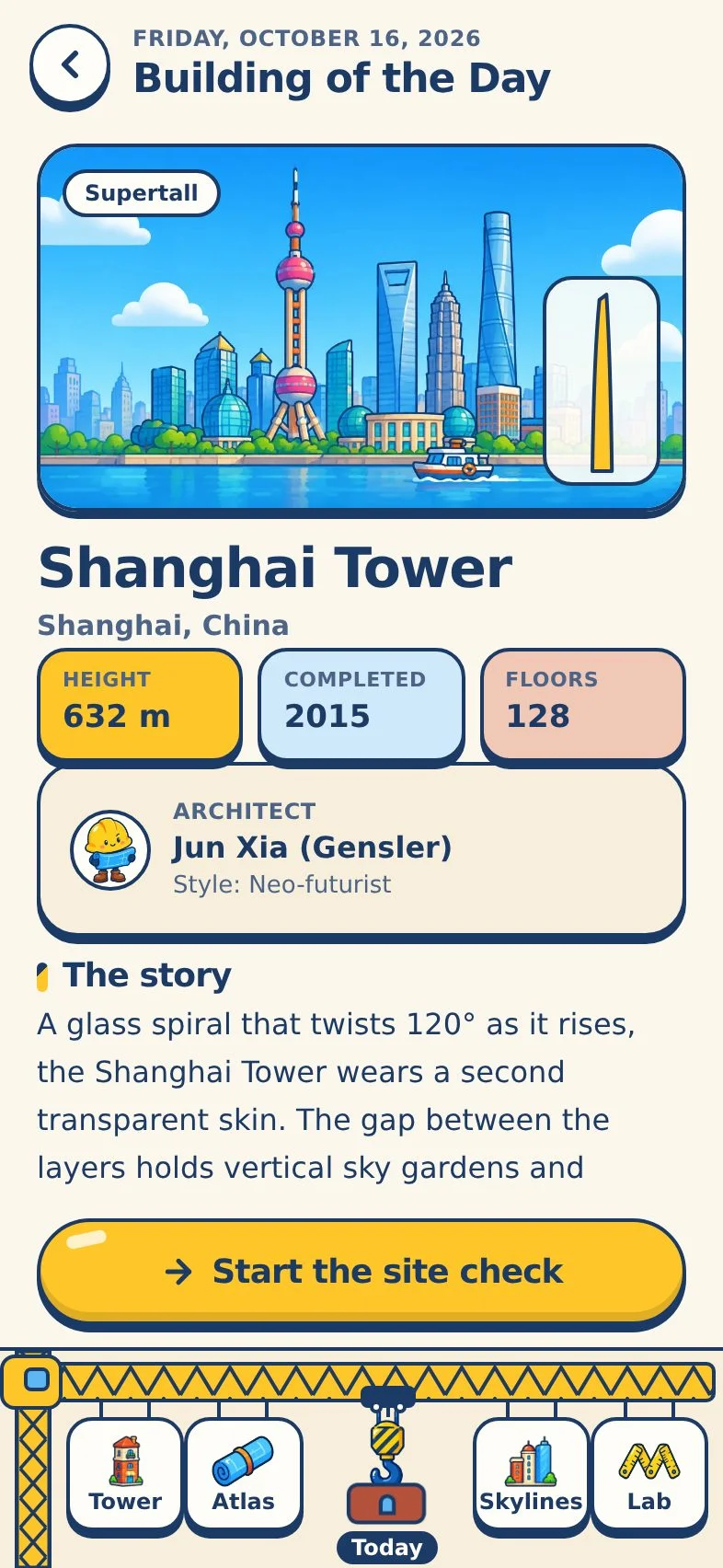
The hook in the crane dock opens the Building of the Day: story, architect, height, style, record and three facts to remember.
-

2. Pass the site check
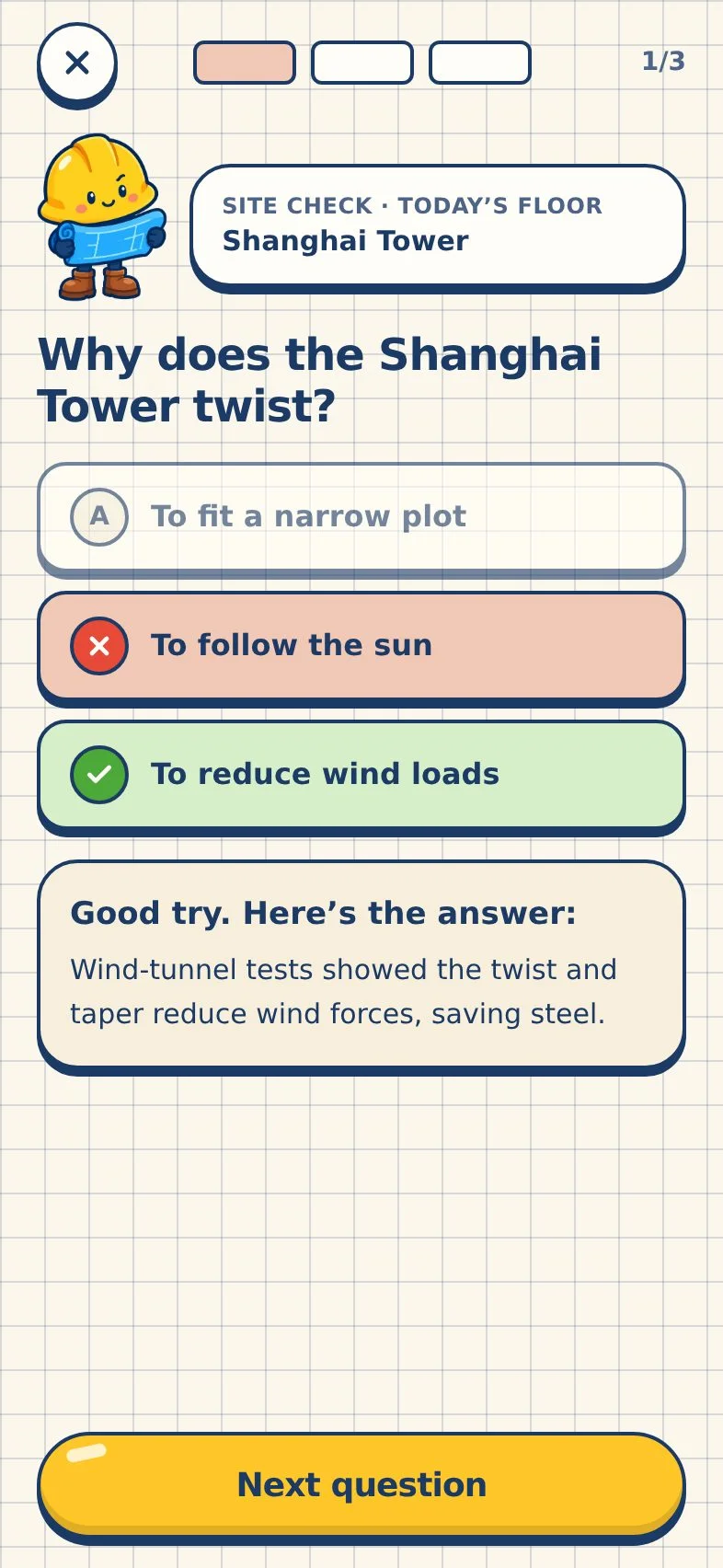
Three multiple-choice questions with an explanation after each one. No timers, no stakes, no penalties.
-

3. Watch the floor land
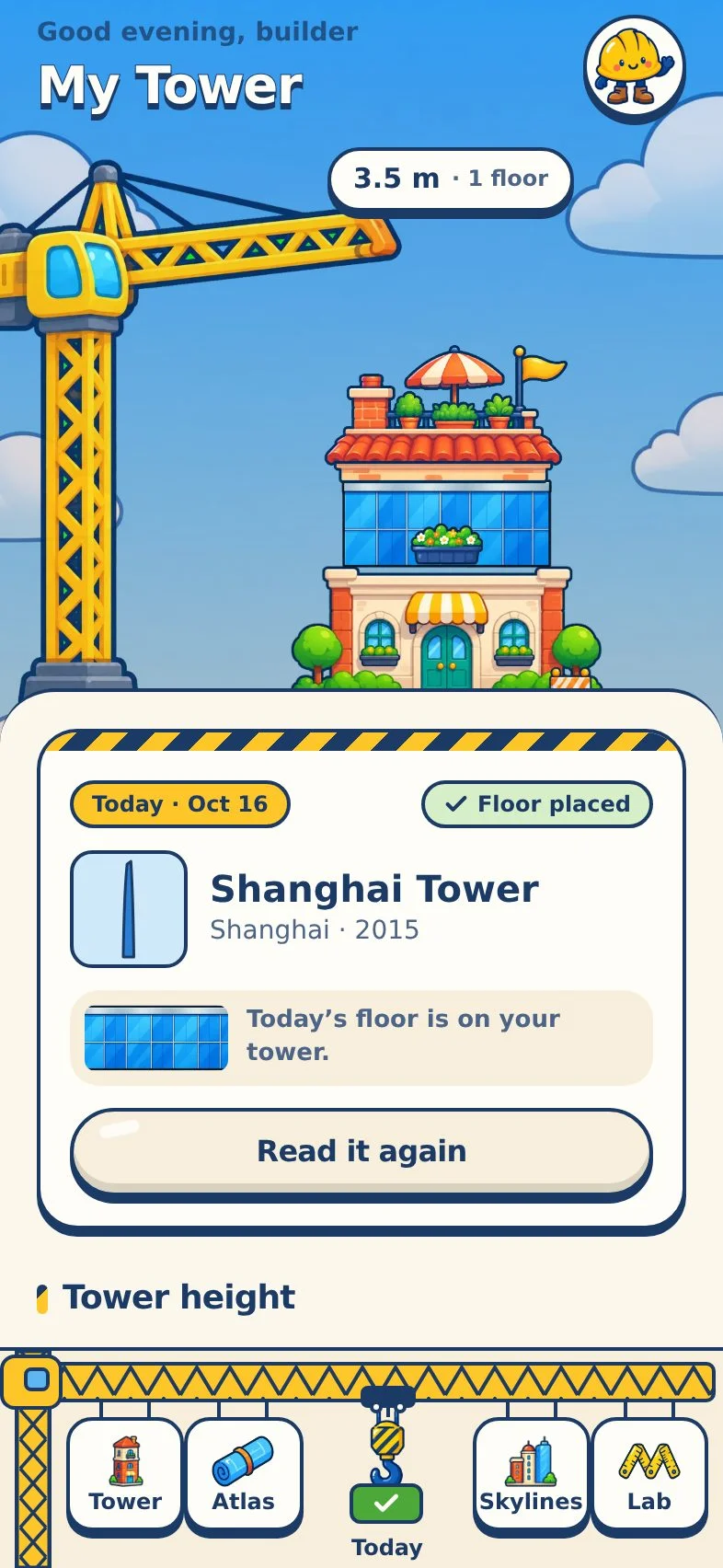
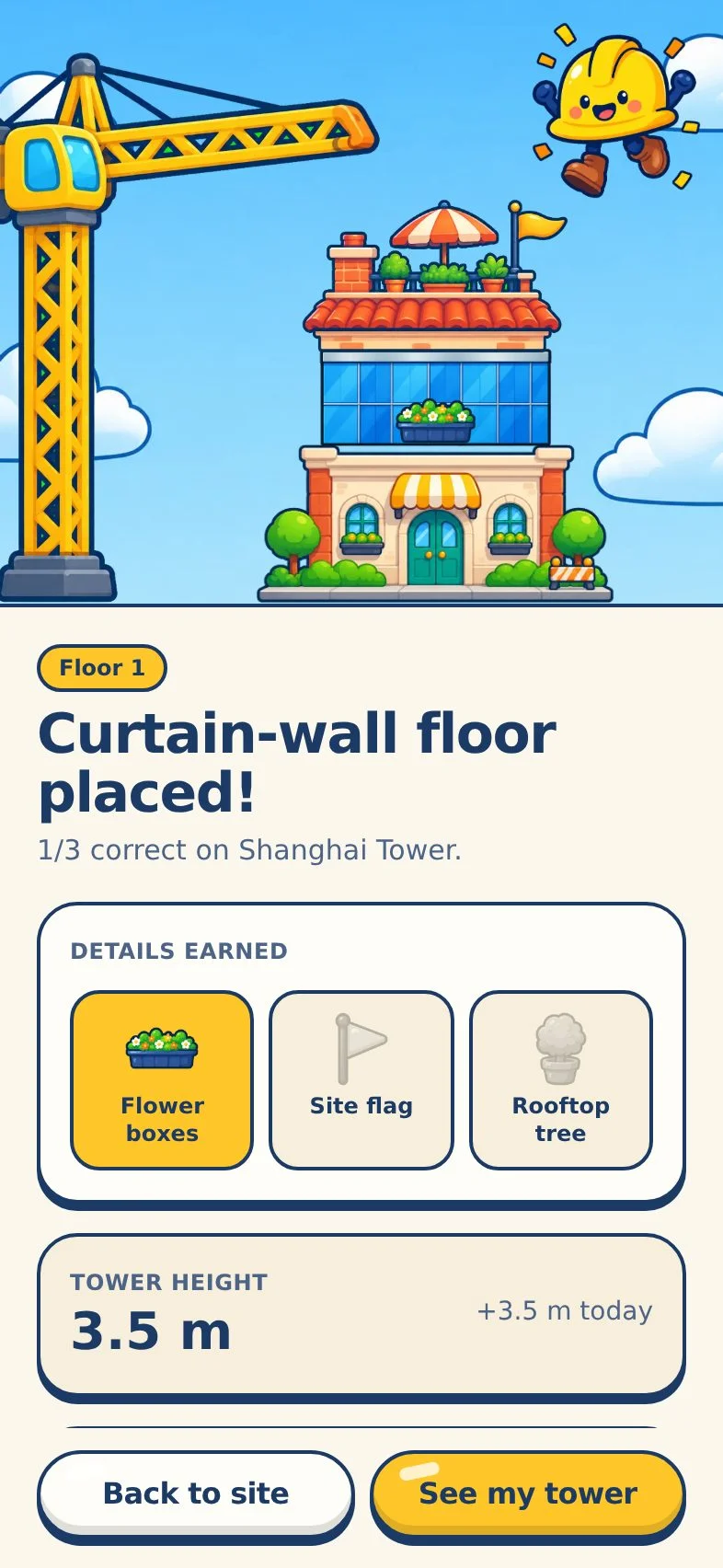
The crane lowers a floor styled after the building. Correct answers add flower boxes, a flag and a rooftop tree.
Features
Everything on the construction site
-
Your personal tower
Eight illustrated floor styles, one per day, 3.5 m each. Tap any floor to revisit its building.
-

City skylines
Twelve cities, six landmarks each. Every building you study lights up its silhouette until the skyline is complete.
-

Height lab
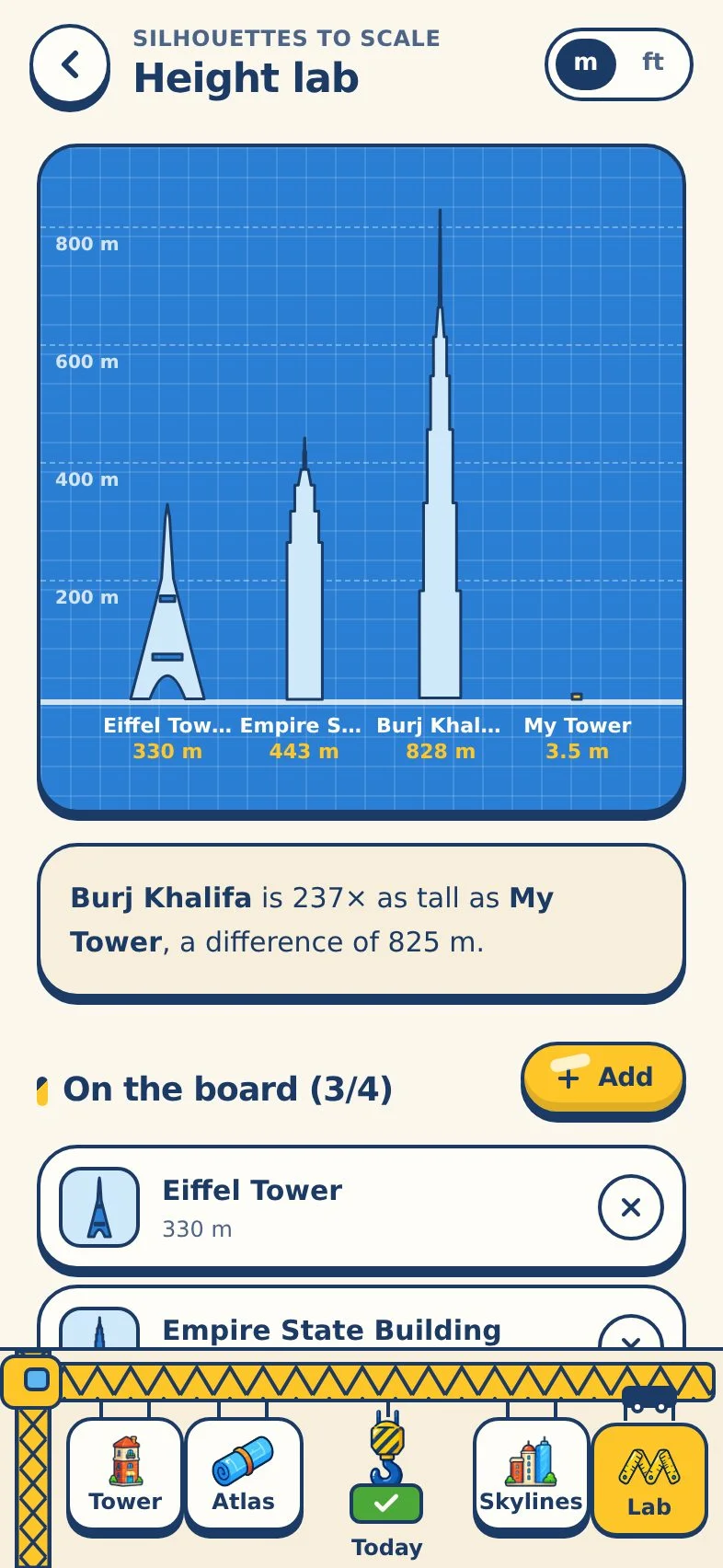
Compare up to four landmarks to scale, plus your own tower and a person, in metres or feet.
-

Photo window
An hourly photo score for the next three days from the live forecast, with golden and blue hour highlighted.
-
Atlas & deep dives
Search and filter the whole catalogue by style, region and era, and open the current Wikipedia summary when you want more.
-

Progress, goals, journal
Accuracy, styles you know, height milestones and goals like “Complete Paris” or “Reach 100 m”.
- Landmarks
- 72
- Cities
- 12
- Floor styles
- 8
Interface
Built for one thumb, every day
Real screens from the app. The crane dock along the bottom edge holds every section; the hook in the middle always opens today’s building.
Collections
Twelve skylines to complete
From the Colosseum to the Burj Khalifa: ancient keeps, Gothic cathedrals, Art Deco crowns and record-breaking glass towers.

New York

Paris

London

Dubai

Chicago

Shanghai

Rome

Barcelona

Tokyo

Kuala Lumpur

Sydney

Hong Kong
Fresh data, only when you ask
Works offline. Gets smarter online.
The whole catalogue, quizzes and your tower live on your phone. Two free public services add live information, and only when you open them.

Open-Meteo forecast
When you open a Photo window, the app sends that landmark’s public coordinates and receives a 3-day hourly forecast. Saved for an hour. Weather data by Open-Meteo.com (CC BY 4.0).

Wikipedia summaries
Tap “Read more” and the app sends the article title and shows the current summary, credited and linked. Saved for seven days.
Roadmap
What we’re building next
Plans, not promises. Each phase ships when it’s ready and well checked.

-
Launch
Version 1.0: the daily build
- 72 curated landmarks across 12 cities
- Building of the Day, site check and personal tower
- City skylines, Height lab and Photo window
- Journal, progress, goals and JSON export
-
Next
More cities and architects
- New skylines: Istanbul, Singapore, Mexico City, Cairo
- Architect profiles linking their buildings
- A home-screen widget with the Building of the Day
-
Later
Themes and trips
- Seasonal themed weeks: bridges, towers, temples
- Offline trip mode to plan which landmarks to see
- More languages
Privacy
Your tower stays on your phone
Stored on your device
Settings, floors, studied landmarks, goals and your journal are saved locally. No account, no sign-in.
No tracking or ads
No analytics, advertising SDKs, cookies or purchases. Only Open-Meteo and Wikipedia are contacted, and only when you ask.
Export or erase anytime
Settings → Your data exports everything as JSON or resets the app after a confirmation.
FAQ
Questions, answered
When will Skyline Stack be available?
It’s coming soon to the App Store for iPhone. This page will be updated with a link when it’s live.
How much does it cost?
There are no purchases, subscriptions or ads inside the app.
What if I miss a day?
Nothing happens. Floors are never removed and there are no streak penalties. Your tower simply waits for the next one.
Does it work without internet?
Yes. All landmarks, quizzes and your progress are on the device. Only the Photo window forecast and optional Wikipedia summaries need a connection, and both are saved for offline use afterwards.
Where is my data stored?
Only on your phone. You can export it as a JSON file or erase it in Settings → Your data.
How accurate are the facts?
Every landmark was curated and checked against public sources. Heights are to the architectural top or tip as commonly published; low buildings are marked approximate. If you spot something outdated, tell us and we’ll fix it in an update.

Questions or feedback?
Spotted a wrong fact or a bug? We read every message.